PageDown
A page-first Markdown editor for documents that get printed.
Pages are the primary editing unit, the way they are in a word processor — but the file on disk is real, portable Markdown.
Version 0.1.0 · also for Windows and Linux · MIT licensed · free
Why page-first
Most Markdown editors are a continuous scroll that only discovers where the pages fall when you export. That is fine for a blog post and unhelpful for a résumé, a letter, or a report someone is going to print — the documents where the page is the unit you are designing.
The usual alternative is to give up Markdown: use Word, or a custom markup language like LaTeX or Typst. PageDown tries the third option.
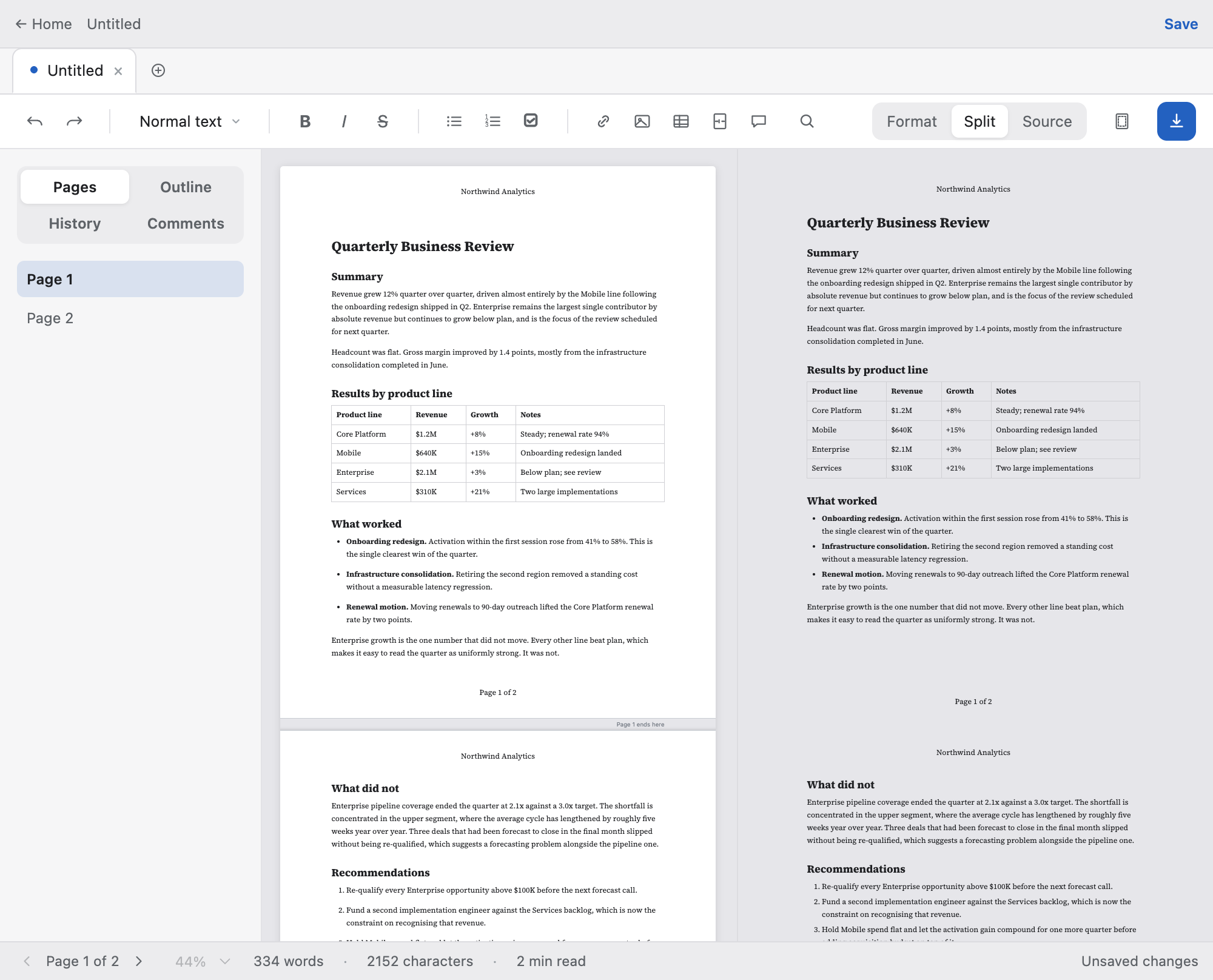
- You see pages while you edit.
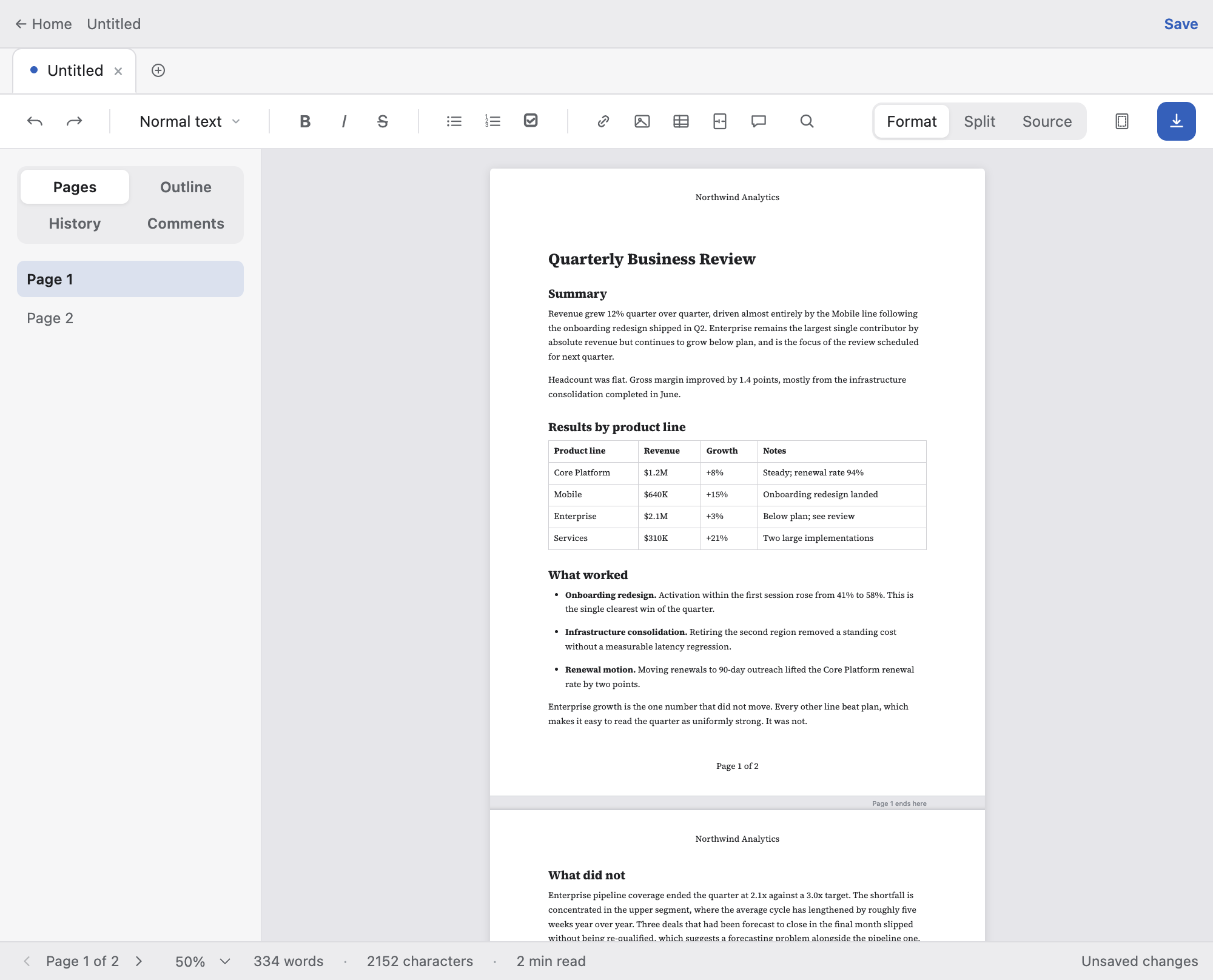
- Real page boundaries in the canvas, drawn from the same pagination engine that produces the PDF — never independently computed, because two pagination algorithms disagree exactly where it matters.
- The preview and the export are the same render.
- PDF export drives the same sandboxed Paged.js context as the live preview, so they are consistent by construction rather than by effort.
- The file stays portable.
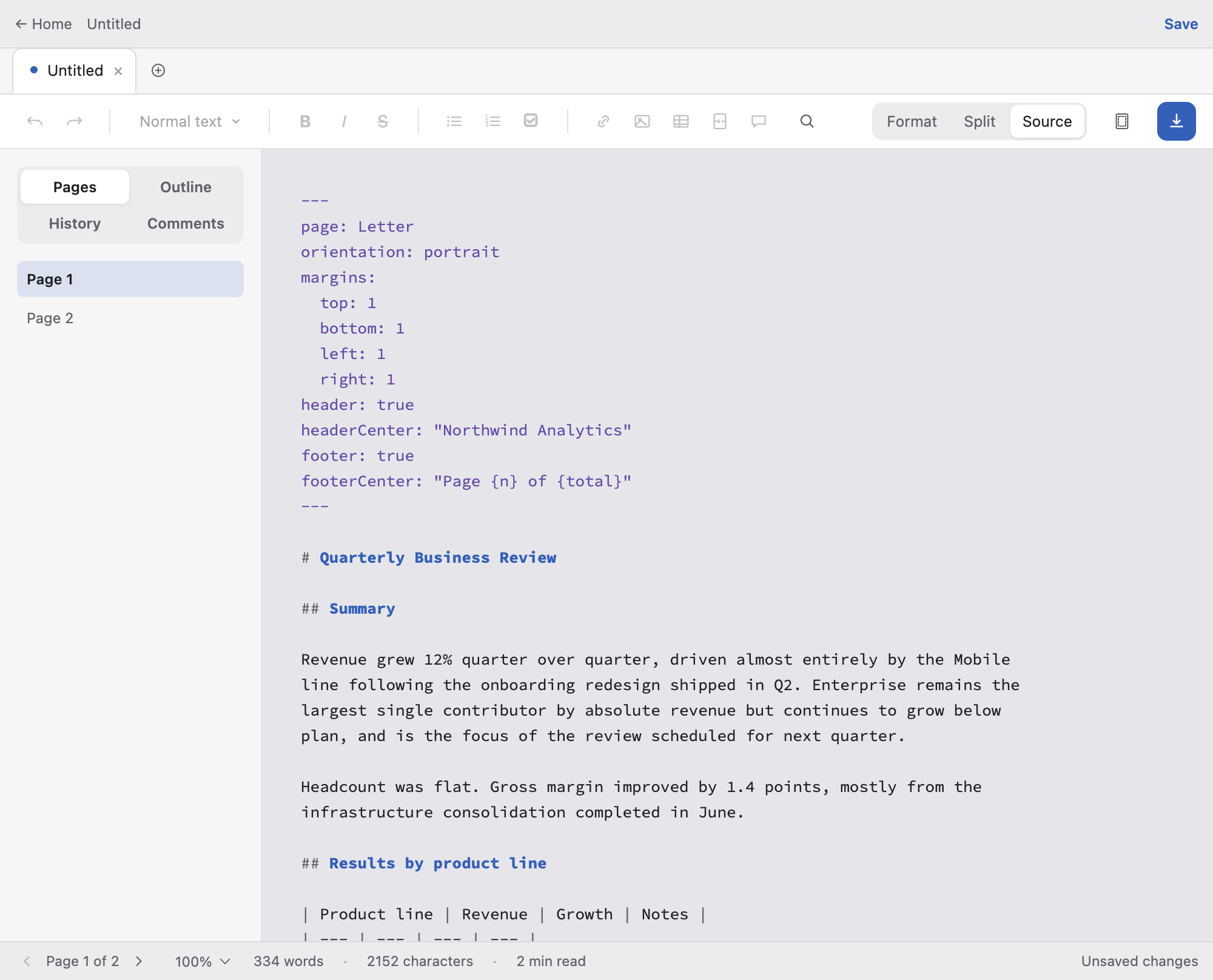
- Page size, margins, headers and footers live in YAML frontmatter. Page breaks, comments, tables of contents and image sizing use HTML-comment and attribute conventions that other Markdown renderers ignore harmlessly. Open the same file anywhere else and it is still just Markdown.
Screens
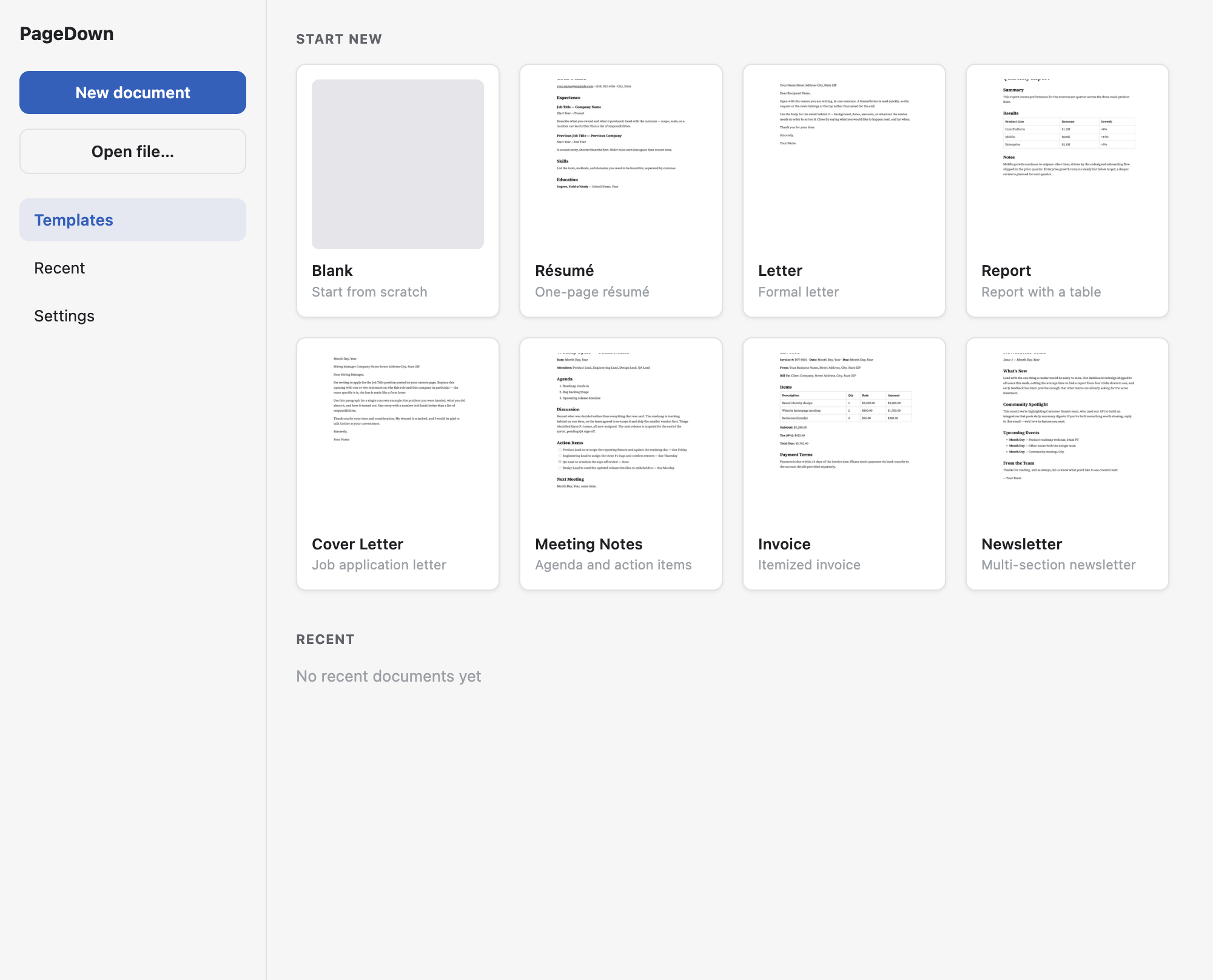
Features
Editing
- Three modes: Format (WYSIWYG), Source (raw Markdown), and Split (editor plus live paginated preview, side by side)
- A formatting toolbar, a slash palette for inserting blocks, and a selection bubble menu with full table row, column and alignment editing
- Find and Replace across whichever surface is live
- Comments, stored inline in the Markdown with no sidecar file
- Tabs, multi-window, an outline sidebar, word and character counts
Layout
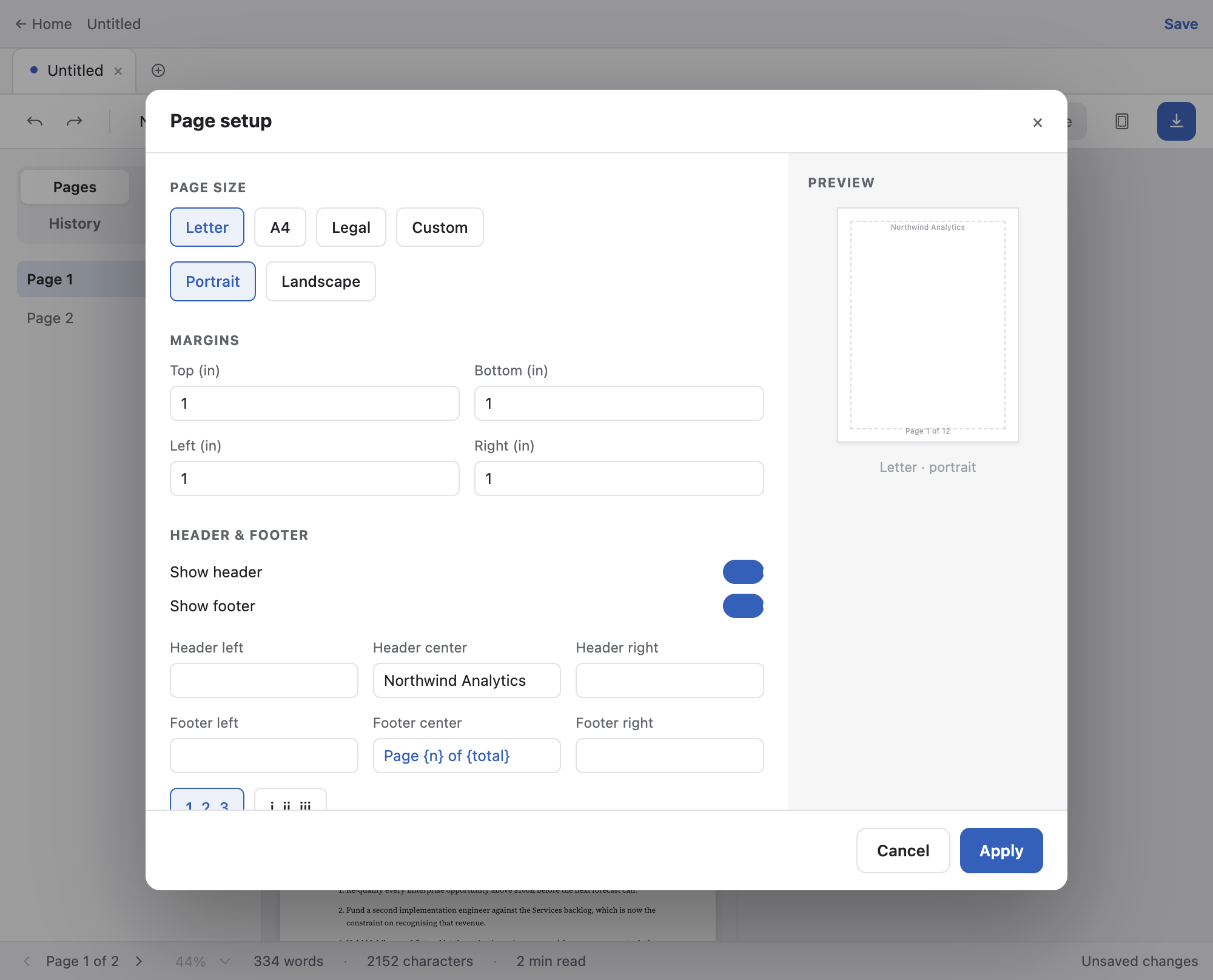
- Page size (Letter, A4, Legal, Custom), orientation and per-side margins
- Running headers and footers with real page numbering, decimal or roman
- Typography themes and document fonts
- Page breaks via an HTML comment, also recognising \newpage and \pagebreak — and round-tripping whichever spelling you wrote
- A table of contents with real page numbers
Markdown
- GitHub Flavored Markdown: tables, task lists, footnotes, strikethrough
- Syntax-highlighted code fences
- Mermaid diagrams and KaTeX math
- Image sizing and drag-to-resize
- Images by drag-and-drop or file picker
Output
- PDF export and native printing, both through the same render context as the preview
- HTML export that is genuinely self-contained — fonts embedded, local images inlined
- Word (.docx) export
Desktop citizenship
- A real application menu with the shortcuts you would expect
- Markdown file associations, single-instance lock, persisted window bounds
- Autosave with crash recovery and version history
- A prompt before closing or quitting with unsaved work
- App-level dark mode — chrome only; document content always renders light, matching what actually prints
Install
Download the latest build for your platform. PageDown runs on macOS, Windows and Linux.
| Platform | File |
|---|---|
| macOS (Apple Silicon) | pagedown-0.1.0-arm64.dmg |
| macOS (Intel) | pagedown-0.1.0-x64.dmg |
| Windows | pagedown-0.1.0-setup.exe |
| Linux (AppImage) | pagedown-0.1.0-x86_64.AppImage |
| Linux (deb) | pagedown_0.1.0_amd64.deb |
Builds are unsigned. PageDown has no Apple Developer ID or Windows Authenticode certificate, so both operating systems will warn you. This is a real gap, not a formality — only bypass these warnings for a build you obtained from the releases page.
macOS
Gatekeeper will report that the app “is damaged and can’t be opened”, which is what it says for any unsigned, un-notarized app carrying a download quarantine flag. To run it anyway:
xattr -dr com.apple.quarantine /Applications/PageDown.appWindows
SmartScreen will show “Windows protected your PC”. Choose More info, then Run anyway.
Linux
Make the AppImage executable with chmod +x, or install the .deb with dpkg -i.
Known gaps
PageDown is early-stage and under active development — expect rough edges. Known gaps, named up front: builds are not signed or notarized and there is no auto-update; a never-saved document is crash-protected by a draft store but has no version history; and Split mode’s panes follow each other by page rather than scrolling in exact sync.
Colophon
PageDown is built by Kai Ko. It is an Electron application: React and ProseMirror for the editing canvas, Paged.js in a sandboxed separate-origin render context for pagination, and one unified Markdown pipeline shared by every surface, so the preview, the PDF and the exported HTML cannot disagree about what a document means.
This page is set in Source Serif 4 and Inter, the same OFL typefaces the application bundles, and laid out to PageDown’s own page geometry: an 8.5 by 11 inch sheet at 96 dpi, one-inch margins, and a 624 pixel text column.